Are you struggling to choose between a PC oscilloscope and a traditional bench oscilloscope for your projects? Picking the right tool can make a huge difference in how efficiently you work and the quality of your results.
Whether you’re a hobbyist, engineer, or technician, understanding the strengths and weaknesses of each option is key to getting the most out of your investment. This article will help you see which oscilloscope fits your needs, saves you time, and boosts your productivity.
Keep reading to find out which choice will transform the way you test and analyze signals.

Credit: www.lambdaphoto.co.uk
What Is A Pc Oscilloscope
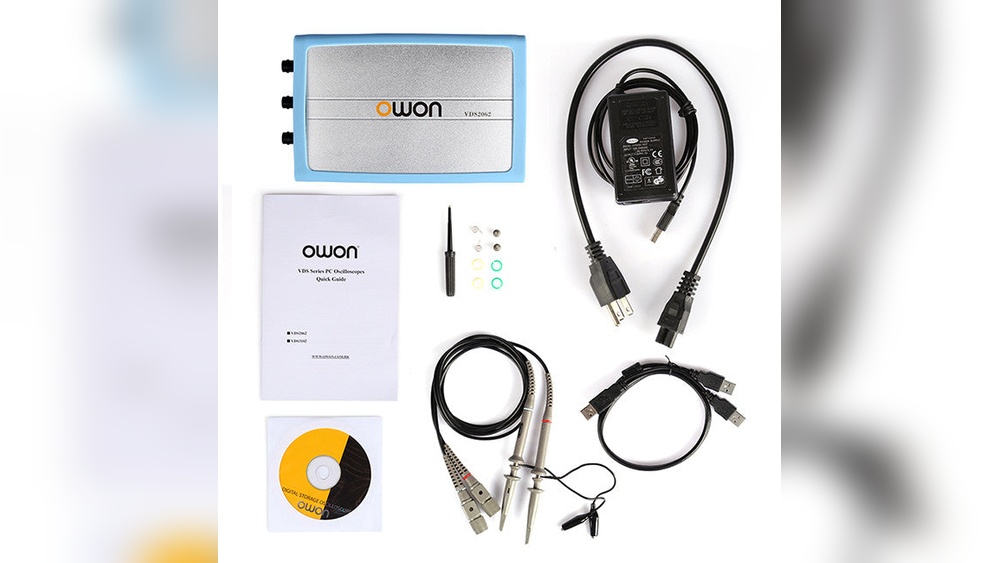
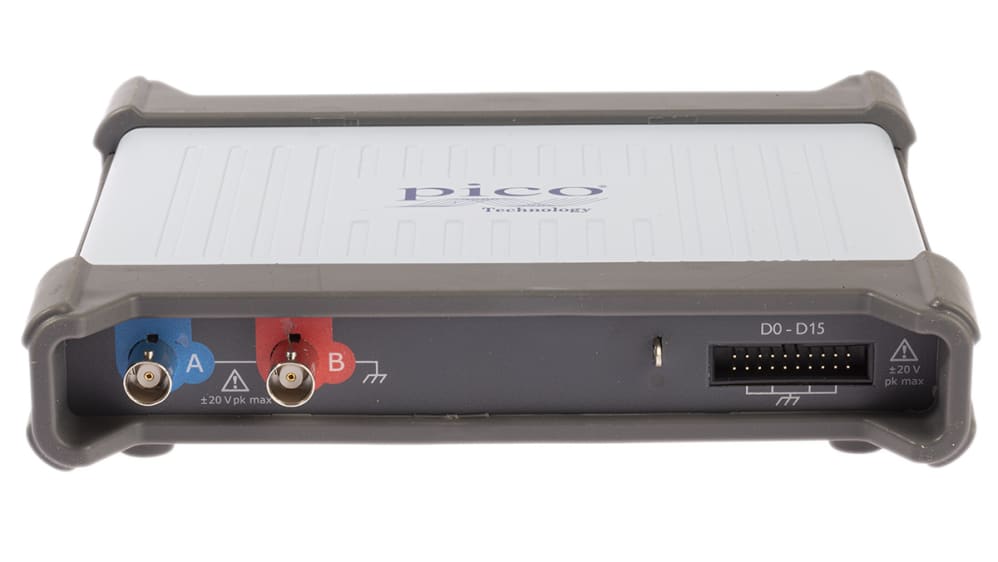
A PC oscilloscope is a device that uses a computer to display electrical signals. It works by connecting to your PC via USB or other ports. The computer then shows these signals on the screen in real time.
This type of oscilloscope is popular for its compact size and ease of use. It can replace bulky, traditional bench oscilloscopes in many cases. Users can analyze signals with software that offers various tools and features.
How Does A Pc Oscilloscope Work?
The PC oscilloscope captures electrical signals through probes. These signals convert into digital data. The computer processes this data and displays waveforms on the screen. Users can zoom in, measure, and save these waveforms easily.
Key Features Of Pc Oscilloscopes
PC oscilloscopes offer portability and flexibility. They use the computer’s display and processing power. Many models support multiple channels and high sampling rates. Software updates add new functions without hardware changes.
Benefits Of Using A Pc Oscilloscope
PC oscilloscopes save space and cost less than traditional models. They are easy to carry and set up anywhere. Users can store large amounts of data directly on the PC. This makes sharing and reporting faster and simpler.
What Is A Bench Oscilloscope
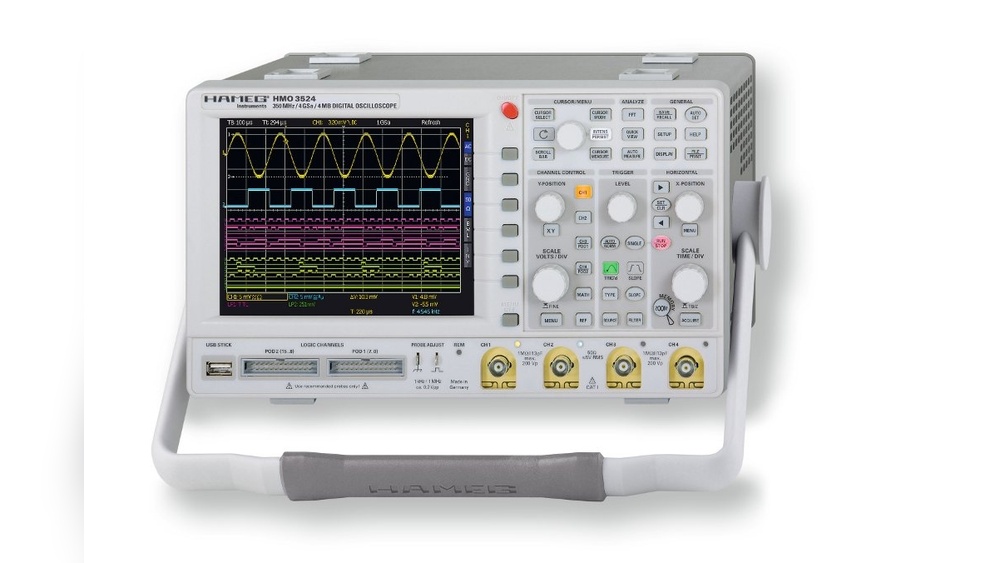
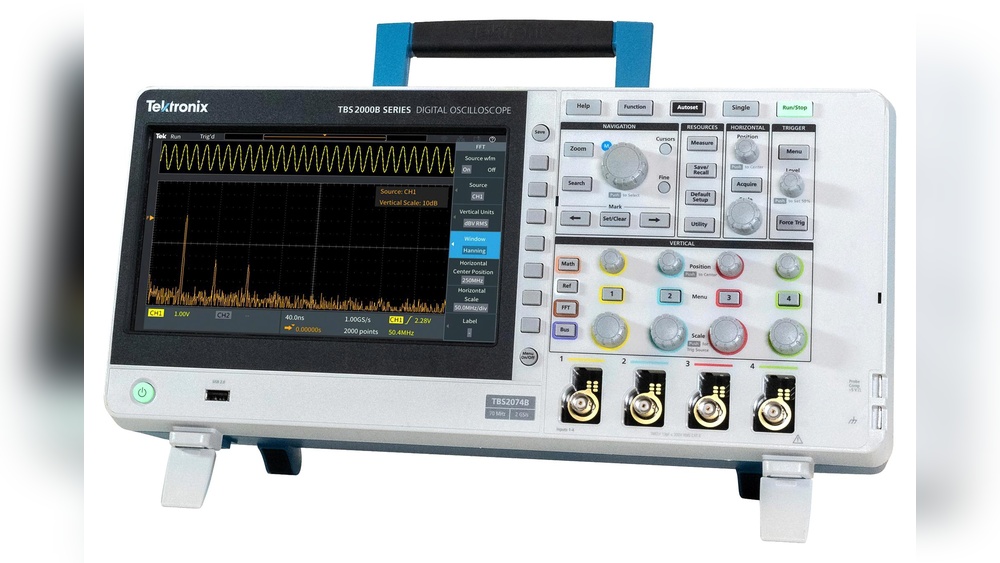
A bench oscilloscope is a common tool in electronics labs. It helps to see and measure electrical signals. This device shows waveforms on its screen. Engineers and technicians use it to test circuits and devices.
Bench oscilloscopes are larger than handheld or PC-connected models. They sit on a workbench or table, hence the name. These devices offer high performance and many features. They are easy to use with physical buttons and knobs.
Design And Build Of Bench Oscilloscopes
Bench oscilloscopes have a solid and stable design. They usually have a large, bright screen. This screen shows clear and detailed waveforms. The device includes many buttons for quick control. Knobs adjust signal settings precisely. The shape and size fit well on a desk.
Functionality And Features
Bench oscilloscopes offer multiple input channels. Users can view several signals at the same time. They have high bandwidth for fast signals. Many models provide advanced math and analysis tools. Users can save data and screenshots. Some include built-in signal generators.
Typical Uses Of Bench Oscilloscopes
These oscilloscopes are common in education and research. They help test electronic circuits and troubleshoot problems. Engineers use them to design new devices. Technicians check repairs and quality control. They are useful in both simple and complex tasks.
Portability And Space
Portability and space are key factors to consider when choosing between a PC oscilloscope and a bench oscilloscope. Both devices have different designs that affect how easily you can move them and how much space they occupy. This section explains these differences clearly.
Portability Of Pc Oscilloscopes
PC oscilloscopes are small and light. They connect to your laptop or desktop via USB. This makes them easy to carry anywhere. You only need your laptop and the oscilloscope device. No extra bulky equipment is required. This suits fieldwork and quick tests outside the lab.
Portability Of Bench Oscilloscopes
Bench oscilloscopes are larger and heavier. They need a fixed place on your workbench. Carrying them around is difficult. They often require power outlets. This limits their use to a single location. Not ideal for technicians who move between sites.
Space Required By Pc Oscilloscopes
PC oscilloscopes use minimal space. The device itself is compact. It sits next to your laptop or computer. This setup saves valuable workspace. A neat and tidy work area is easier to manage. Great for small desks or crowded labs.
Space Required By Bench Oscilloscopes
Bench oscilloscopes take up significant space. Their large screens and controls need room. The bulky size can crowd a workbench. This reduces available space for other tools. Suitable for dedicated test benches with enough room.
Performance And Accuracy
Performance and accuracy are key in choosing between a PC oscilloscope and a bench oscilloscope. These factors decide how well the device captures and shows electrical signals. Accurate readings help avoid mistakes in tests and repairs. Understanding how each type performs helps pick the right tool.
Sampling Rate And Bandwidth
The sampling rate is how many times per second the oscilloscope checks the signal. Higher rates catch fast changes better. Bench oscilloscopes usually offer higher sampling rates than PC oscilloscopes.
Bandwidth shows the range of frequencies the oscilloscope can measure. A wider bandwidth means it can handle more complex signals. Bench models tend to have higher bandwidth, making them better for detailed work.
Signal Resolution
Signal resolution means how small a voltage change the oscilloscope can detect. Higher resolution gives clearer, sharper images of the signal.
Bench oscilloscopes often have better resolution because they use dedicated hardware. PC oscilloscopes depend on the computer’s hardware, which may lower resolution.
Good resolution is important for spotting tiny signal details and errors.
User Interface And Software
User interface and software are key parts of any oscilloscope. They shape how you interact with the device. These elements affect your overall experience. PC oscilloscopes and bench oscilloscopes differ in their approach to these features.
PC oscilloscopes rely on the computer’s screen and software. Bench oscilloscopes have built-in screens with physical controls. Both have pros and cons in terms of ease and functionality. Understanding these can help you choose the right tool.
Ease Of Use
Bench oscilloscopes offer direct control with buttons and knobs. This makes it simple to adjust settings quickly. You can see results immediately on the device’s screen. This tactile feel suits users who prefer hands-on work.
PC oscilloscopes depend on software interfaces. Navigation happens through a mouse and keyboard. This can feel slower or complex at first. But it allows for flexible screen layouts and customization. Learning the software might take some time.
Software Features
PC oscilloscope software often includes advanced analysis tools. You can save data easily and create detailed reports. Updates add new functions without extra cost. Integration with other PC tools is seamless.
Bench oscilloscopes have built-in software tailored for quick tasks. Their features are reliable and straightforward. Some models offer basic data saving and exporting. Updates may require manual installation or are less frequent.
Connectivity And Integration
Connectivity and integration play a big role in choosing between a PC oscilloscope and a bench oscilloscope. These factors affect how easily the device connects with other tools. They also impact how well the oscilloscope fits into your workflow.
Good connectivity means you can send data quickly. It helps in sharing results and controlling the device remotely. Integration with software and other devices makes your work smoother and faster.
Pc Oscilloscope Connectivity
PC oscilloscopes connect through USB, Ethernet, or Wi-Fi. USB is the most common and easy to use. It lets you plug the device directly into your computer. Ethernet and Wi-Fi offer wireless options for more freedom.
These connections allow real-time data transfer to your PC. You can use software to view and analyze signals. The software often supports exporting data in many formats. This makes sharing and reporting simple.
Bench Oscilloscope Connectivity
Bench oscilloscopes usually have multiple ports. Common options include USB, LAN, and GPIB. USB ports let you save data on a flash drive. LAN and GPIB ports connect to other lab instruments or networks.
These devices often include built-in displays and controls. You can operate them without a PC. Some models support remote access, but it is less common than PC scopes.
Integration With Software And Tools
PC oscilloscopes work well with many software tools. They integrate with data analysis programs and design software. This helps in creating reports and detailed studies.
Bench oscilloscopes come with their own software. It usually offers basic functions for signal analysis. Integration with third-party programs may be limited. They are designed more for hands-on use in labs.
Price And Value
Price and value are important factors in choosing between a PC oscilloscope and a bench oscilloscope. Both types serve similar purposes but differ in cost and what you get for your money. Understanding these differences helps you pick the right tool for your needs and budget.
Cost Comparison Of Pc Oscilloscopes
PC oscilloscopes usually cost less than bench models. They use your computer’s screen and processor. This setup cuts down the price of extra hardware. Many models start under a few hundred dollars. This makes them good for hobbyists or students with small budgets.
Price Range Of Bench Oscilloscopes
Bench oscilloscopes often have higher prices. They come with built-in displays and controls. These devices offer more power and features out of the box. Prices can range from several hundred to thousands of dollars. Professionals needing advanced tools often choose bench models despite the cost.
Value Offered By Pc Oscilloscopes
PC oscilloscopes provide good value for casual use. They are portable and easy to upgrade with software. Many support multiple channels and high sample rates. Their lower price makes them accessible for basic testing and learning. The need for a separate PC is a small trade-off for the value gained.
Value Offered By Bench Oscilloscopes
Bench oscilloscopes deliver strong value for complex tasks. They offer stable performance with dedicated hardware. The controls and screen are built for quick, precise work. This reliability suits engineers and technicians. The higher price reflects the advanced features and durability.
Use Cases And Applications
Oscilloscopes serve many roles in electronics and engineering. Their use varies widely based on the device type and user needs. PC oscilloscopes and bench oscilloscopes each fit different settings and tasks. Understanding their use cases helps choose the right tool.
Hobbyists And Education
Hobbyists often prefer PC oscilloscopes. They are affordable and easy to connect to a laptop. This setup saves space and reduces cost.
Students find PC oscilloscopes useful for learning. They can see waveforms on a computer screen. This visual aid improves understanding of electronics concepts.
PC oscilloscopes also allow easy data saving and sharing. This feature helps in projects and assignments. Many hobbyists appreciate this convenience.
Professional And Industrial
Bench oscilloscopes suit professional and industrial use. They offer higher accuracy and more features. This makes them reliable for complex tests.
Industries use bench oscilloscopes for product development and repair. Their robust design withstands harsh environments. Professionals trust these devices for long-term use.
Bench oscilloscopes provide better signal quality and faster processing. This supports detailed analysis and quick troubleshooting. Their advanced functions meet strict industry standards.
Maintenance And Durability
Maintenance and durability are key points when choosing between a PC oscilloscope and a bench oscilloscope. Both tools need care to keep them working well. A durable device lasts longer and saves money over time. Understanding how to maintain each device helps avoid costly repairs.
Pc Oscilloscope Maintenance
PC oscilloscopes depend on software and hardware. Keep the software updated for best performance. Clean the device gently to prevent dust buildup. Check cables and connectors for wear often. Handle the device carefully to avoid damage. Regular updates fix bugs and improve features.
Bench Oscilloscope Maintenance
Bench oscilloscopes require physical care and calibration. Clean the screen and buttons regularly. Avoid spills and drops to protect internal parts. Calibrate the device as recommended by the maker. Calibration keeps measurements accurate over time. Replace worn parts to maintain good function.
Durability Comparison
Bench oscilloscopes often have sturdy cases and heavy parts. They handle rough use better than PC oscilloscopes. PC oscilloscopes rely on the connected PC’s durability too. Portable and light, PC oscilloscopes may be less rugged. Both types last longer with proper care and use.
Credit: my.rs-online.com
Making The Right Choice
Choosing between a PC oscilloscope and a bench oscilloscope depends on your needs. Each has its strengths and fits different situations. Understanding these will help you pick the best tool for your work or project.
Think about where and how you will use the oscilloscope. Portability, budget, and features play key roles in this decision.
Ease Of Use And Setup
Bench oscilloscopes are often ready to use right out of the box. They have built-in screens and controls. PC oscilloscopes need a computer connection and software installation. This extra step may take time but offers flexibility.
PC oscilloscopes are small and easy to carry. They fit in small workspaces or fieldwork kits. Bench oscilloscopes are larger and stay on a desk. They need more space but provide a stable setup.
Performance And Features
Bench oscilloscopes usually offer higher bandwidth and more channels. They deliver faster processing and better display quality. PC oscilloscopes rely on the computer’s power and screen. They may have fewer features but still handle many tasks well.
Budget Considerations
PC oscilloscopes tend to cost less upfront. They are good for hobbyists or students. Bench oscilloscopes are more expensive but offer advanced functions. Professionals who need high accuracy often choose bench models.
Future Expansion And Upgrades
PC oscilloscopes can be updated with new software easily. This adds new features without extra hardware cost. Bench oscilloscopes may need hardware upgrades for new functions. Software updates are less common but still possible.
Credit: hackaday.com
Frequently Asked Questions
What Are The Main Differences Between Pc And Bench Oscilloscopes?
PC oscilloscopes connect to computers and use software for display. Bench oscilloscopes are standalone devices with built-in screens. PC scopes offer portability, while bench scopes provide more features and stability for complex tasks.
Which Is Better For Beginners: Pc Or Bench Oscilloscope?
PC oscilloscopes are often more affordable and user-friendly for beginners. Bench oscilloscopes have advanced functions but may require more experience. Beginners benefit from PC scopes due to simplicity and easy software updates.
Can Pc Oscilloscopes Match Bench Scopes In Performance?
High-end PC oscilloscopes can rival bench scopes in bandwidth and sampling rates. However, bench scopes generally offer more channels and better signal integrity. Performance depends on model and user needs.
Are Pc Oscilloscopes More Portable Than Bench Oscilloscopes?
Yes, PC oscilloscopes are highly portable as they rely on laptops or tablets. Bench oscilloscopes are bulkier and designed for stationary use in labs or workshops.
Conclusion
Choosing between a PC oscilloscope and a bench model depends on your needs. PC oscilloscopes offer portability and easy data sharing. Bench oscilloscopes provide stable setups and often more features. Think about your workspace and how often you move equipment.
Also, consider your budget and the complexity of your projects. Both tools serve well for different tasks. Pick the one that fits your daily work best. This way, you get the right balance of function and convenience.

I’m Asif Ur Rahman Adib, an Electrical Engineer and lecturer. My journey began in the lab, watching students struggle with instruments they used every day without fully understanding them. Over time, I’ve combined teaching, research, and hands-on experience to help others grasp electrical concepts clearly, safely, and practically—whether it’s understanding a circuit or mastering a multimeter.