If your vehicle’s speed sensor is acting up, you might be wondering how to check if it’s really the problem. Testing a speed sensor with a multimeter is easier than you think—and it can save you time and money before heading to a mechanic.
You’ll learn simple, step-by-step instructions to accurately test your speed sensor. By the end, you’ll feel confident in diagnosing the issue yourself and knowing exactly what to do next. Ready to take control and avoid costly repairs? Let’s get started.
Tools Needed
Testing a speed sensor requires a few key tools. These tools help you check the sensor’s function accurately. Preparing the right equipment makes the process smooth and safe.
Choosing The Right Multimeter
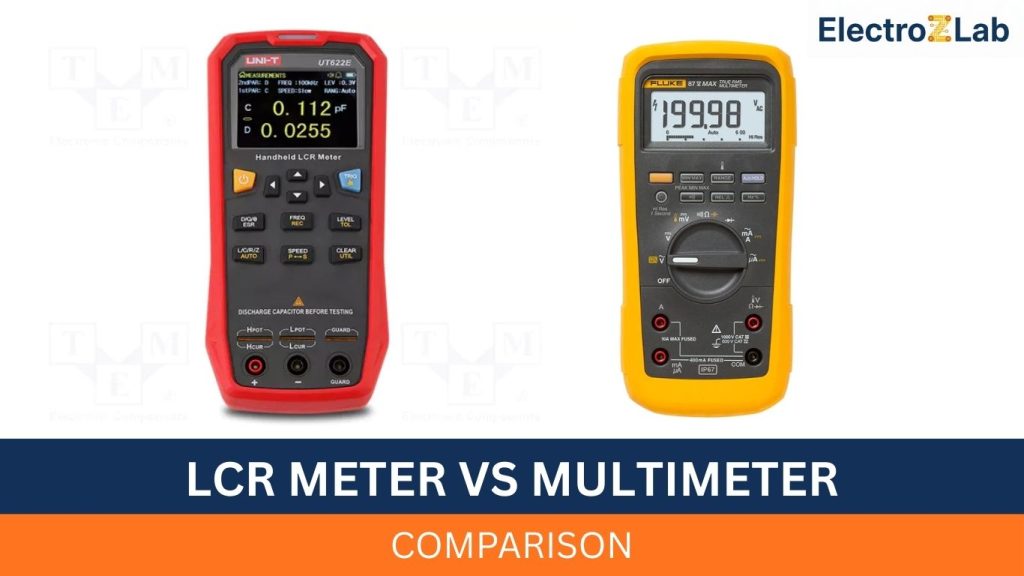
Select a multimeter that can measure voltage, resistance, and continuity. Digital multimeters are easier to read than analog ones. Ensure the multimeter has a good display and clear markings. A multimeter with a range selector helps test different sensor types. Look for one with a hold function to freeze readings. This makes it easier to note down values without rushing.
Additional Equipment
Besides the multimeter, you need test leads with sharp probes. These help you touch small sensor terminals without slipping. Use insulated gloves to protect from electrical shocks. A wiring diagram of the sensor system is helpful for correct connections. Keep a clean cloth to wipe sensor contacts before testing. A small flashlight can help see in tight or dark spaces.
Preparing The Speed Sensor
Preparing the speed sensor is the first step in testing it with a multimeter. Proper preparation helps you get accurate results and avoid damage. It also ensures your safety during the process. You need to locate the sensor and follow safety measures before starting the test.
Locating The Sensor
The speed sensor is usually near the wheel hub or transmission. Check your vehicle’s manual for the exact position. It often looks like a small cylindrical part with wires attached. Clean the area around the sensor to avoid dirt affecting the test. Make sure you have clear access to the sensor connector and terminals.
Safety Precautions
Turn off the vehicle engine before testing the sensor. Disconnect the battery to avoid electrical shocks. Wear gloves to protect your hands from sharp parts. Keep the area well-lit and free from distractions. Handle the sensor and multimeter carefully to prevent damage. Follow these steps to stay safe and protect your tools.
Setting Up The Multimeter
Setting up the multimeter correctly is the first step in testing a speed sensor. It ensures accurate readings and protects the device from damage. The process involves choosing the right mode and calibrating the tool for precision.
Selecting The Correct Mode
Turn on the multimeter and check its dial. The correct mode depends on the type of sensor you test. For speed sensors, use the resistance or continuity mode. These modes help measure electrical signals and detect sensor issues. Avoid using voltage mode unless the sensor specifications require it.
Calibrating The Device
Calibration ensures the multimeter gives accurate results. Start by connecting the test leads to the multimeter. Touch the leads together and check the reading. It should show zero or close to zero resistance. If not, adjust the calibration knob or follow the device manual instructions. Proper calibration reduces errors during the speed sensor test.

Credit: www.youtube.com
Testing The Sensor Resistance
Testing the sensor resistance is a key step to check if a speed sensor works well. This process helps find faults like breaks or shorts inside the sensor. Using a multimeter, you can measure the resistance value easily. This value tells if the sensor’s coil or circuit is okay.
Before measuring, make sure the sensor is disconnected from power. This prevents damage to the multimeter and gives accurate readings. Clean the sensor terminals for good contact with the multimeter probes. Now, you are ready to test the resistance.
Measuring Resistance Values
Set the multimeter to the ohms (Ω) setting. Touch the red probe to one sensor terminal. Touch the black probe to the other terminal. Hold the probes steady and read the resistance value on the screen. Repeat a few times to confirm the reading is steady.
Note the resistance value carefully. Compare it with the sensor’s specified range in the manual. Some sensors need a specific resistance to work properly. Others may show infinite or very low resistance if damaged.
Interpreting Results
If the resistance falls inside the recommended range, the sensor coil is likely good. A very high or infinite reading means the coil might be broken. A reading close to zero suggests a short circuit inside the sensor.
Use these results to decide if the sensor needs repair or replacement. Keep in mind, resistance alone does not check all sensor functions. But it gives a quick check on the sensor’s basic condition.
Checking Sensor Voltage Output
Checking the voltage output of a speed sensor is a key step in testing its function. This helps verify if the sensor sends the right signals to the vehicle’s system. Using a multimeter, you can measure these voltage signals easily and accurately.
Start by making sure the sensor is connected to power and the vehicle’s system. The sensor must be active for proper voltage readings. This process helps detect faults or weak signals that may cause speed errors.
Connecting The Multimeter
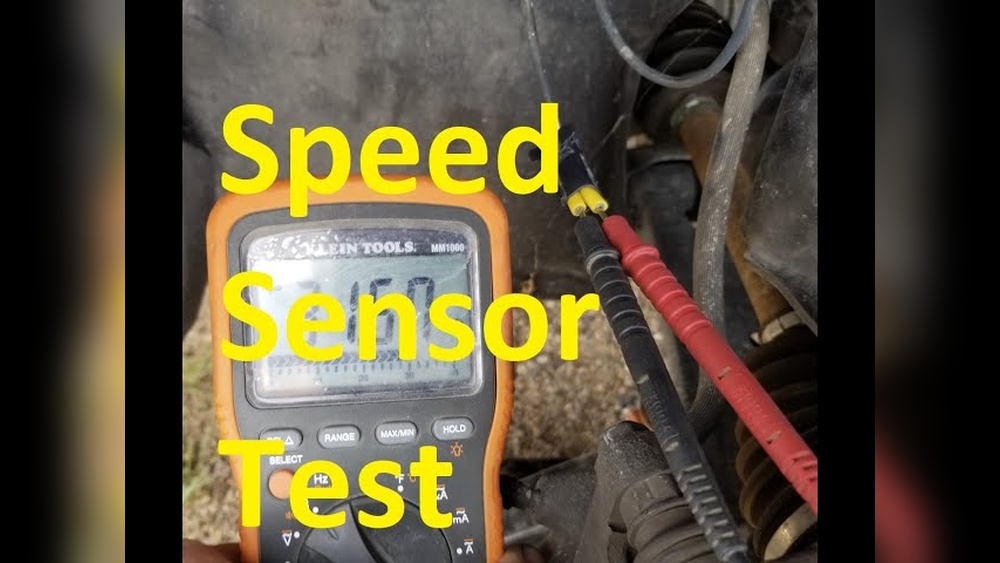
Set your multimeter to measure DC voltage. Use the right voltage range, usually 0-20 volts. Connect the black probe to the sensor ground or vehicle chassis. Attach the red probe to the sensor output wire.
Ensure all connections are secure. Avoid touching metal parts with your hands. This prevents false readings or short circuits. Turn on the vehicle ignition, but do not start the engine yet.
Reading Voltage Signals
Look at the multimeter display for voltage readings. A good speed sensor shows a steady voltage or a changing voltage when the wheel moves. If the voltage stays at zero or does not change, the sensor may be faulty.
Spin the wheel slowly to see if voltage varies. Check the sensor voltage against the vehicle manual specifications. Record the voltage values for further analysis or repair decisions.

Credit: www.jakelectronics.com
Verifying Sensor Signal With Rotation
Verifying the sensor signal with rotation confirms the speed sensor’s function. It shows if the sensor sends the correct signals as the wheel or shaft moves. This step helps find faulty sensors causing speed reading problems. The process involves spinning the sensor’s target and watching the multimeter’s response.
Simulating Speed Sensor Activation
First, connect the multimeter to the sensor terminals. Set the meter to measure voltage or resistance based on sensor type. Slowly rotate the wheel, gear, or sensor target by hand. This simulates actual movement the sensor detects during operation. The sensor should create a signal change as it detects rotation.
Keep the rotation steady and smooth. Avoid fast or jerky movement. Watch the multimeter screen closely while turning. This helps catch small signal variations clearly.
Observing Signal Changes
Look for voltage pulses or resistance shifts on the multimeter. These changes show the sensor reacts to rotation. No change often means a broken sensor or wiring issue. Signal values vary by sensor type and speed.
Note the signal pattern and strength. Consistent pulses suggest the sensor works well. Irregular or missing signals may need further testing or replacement. This step confirms the sensor’s ability to sense rotation accurately.
Common Issues And Fixes
Speed sensors can stop working right. This causes wrong readings or no readings at all. Knowing common problems and how to fix them saves time and money. This section explains usual issues and easy fixes for speed sensors.
Troubleshooting Faulty Readings
Check the sensor wires for breaks or wear. Loose or broken wires cause wrong signals. Use a multimeter to test the wire’s continuity. No continuity means wire damage.
Clean the sensor and its magnet. Dirt and metal bits block signals. Wipe the sensor with a dry cloth. Avoid water or chemicals that damage parts.
Test the sensor voltage with a multimeter. Set the meter to measure voltage. Spin the wheel or part that moves the sensor. Voltage should change when it spins. No change means sensor failure.
When To Replace The Sensor
Replace the sensor if cleaning and wiring checks fail. Sensors that show no voltage or inconsistent readings need replacement. Old sensors may wear out and lose accuracy.
Physical damage like cracks or corrosion is a clear sign. Damaged sensors cannot work right even if tested. Buy a new sensor of the same type for replacement.
Tips For Accurate Testing
Testing a speed sensor with a multimeter requires care and attention. Small mistakes can give wrong results. Accurate testing helps find sensor problems quickly. Follow some simple tips to get the best results. These tips improve your test accuracy and save time.
Avoiding Common Mistakes
Check the multimeter settings before testing. Use the correct mode, like resistance or voltage. Connect the probes firmly to the sensor terminals. Loose connections cause false readings. Do not touch metal parts of the probes during testing. This can change the readings. Test the sensor in a stable environment. Avoid moving wires or parts during the test. Keep the sensor clean and dry for better results.
Maintaining Your Multimeter
Regularly check your multimeter’s battery. A weak battery can cause wrong readings. Clean the multimeter probes with a soft cloth. Remove dirt or rust before testing. Store the multimeter in a dry place to avoid damage. Calibrate your multimeter as recommended by the manufacturer. Well-maintained tools give more accurate and reliable results. Keep the device away from strong magnets or heat sources.
Credit: c320.org
Frequently Asked Questions
How Do I Test A Speed Sensor With A Multimeter?
To test a speed sensor, set your multimeter to Ohms. Disconnect the sensor and measure resistance across its terminals. Compare readings to the sensor’s specifications. A correct resistance indicates a working sensor; a faulty reading suggests replacement.
What Resistance Value Should A Speed Sensor Show?
Typical speed sensors show resistance between 800 and 2000 ohms. Always check your vehicle’s manual for exact values. Readings outside this range usually mean the sensor is defective or damaged.
Can I Test A Speed Sensor Without Removing It?
Yes, testing without removal is possible. Locate the sensor’s connector and measure voltage or resistance. Ensure the ignition is on and refer to the manual for proper testing points.
What Multimeter Setting Is Best For Speed Sensor Testing?
Use the Ohms (Ω) setting to measure resistance. For voltage checks, switch to the DC voltage setting. Correct settings ensure accurate and reliable sensor diagnostics.
Conclusion
Testing a speed sensor with a multimeter is simple and useful. You can check if the sensor works well by following clear steps. A good multimeter helps find problems quickly. This saves time and money on repairs. Always take safety first while testing.
Keep practicing to get better and faster. Knowing how to test sensors keeps your vehicle running smoothly. Try these tips next time you need to check a speed sensor.

I’m Asif Ur Rahman Adib, an Electrical Engineer and lecturer. My journey began in the lab, watching students struggle with instruments they used every day without fully understanding them. Over time, I’ve combined teaching, research, and hands-on experience to help others grasp electrical concepts clearly, safely, and practically—whether it’s understanding a circuit or mastering a multimeter.